.png)

How Alato Lab works
Alato Lab provides automated detection of NZ bat species in recordings from Alato AR4 /AR5 acoustic monitors. Upload recordings into Alato Lab and our NZ-made AI model automatically detects the species in minutes or hours instead of days or weeks.
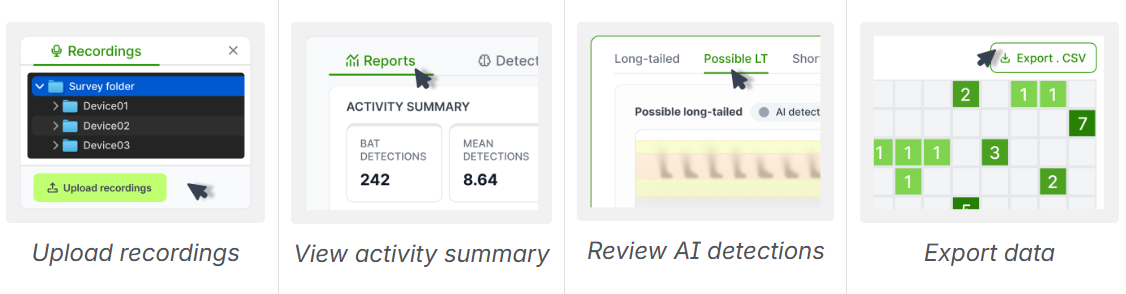
Detections are categorised as Long-tailed, Short-tailed, Possible LT, Possible ST or Non-bat. It is uncommon for Alato Lab to miss a bat as it is calibrated to detect all ‘possible bats’ - there should be very few false negatives (Non-bats), but you can expect 15-20% of detections to be ‘Possible bats'. We recommend you manually review all ‘Possible’ detections. You can verify or modify the AI detection by clicking the labelled buttons.
SIGN UP or SIGN IN to Alato Lab
Creating surveys
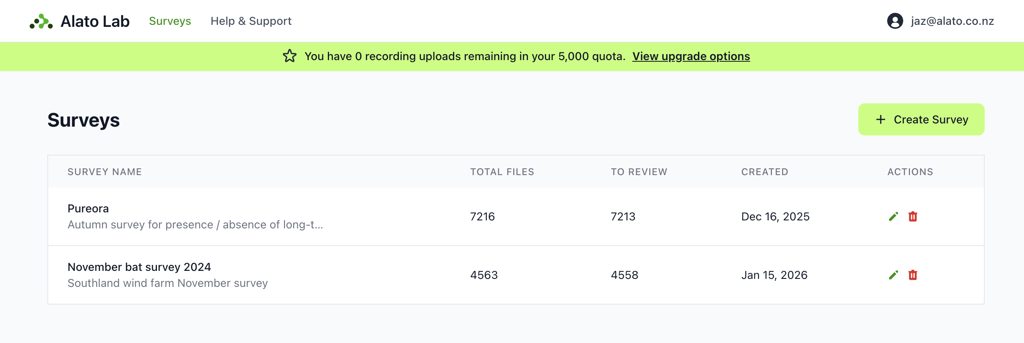
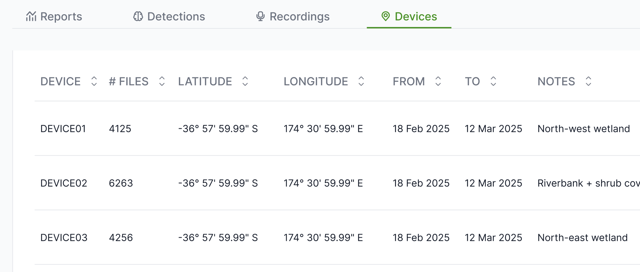
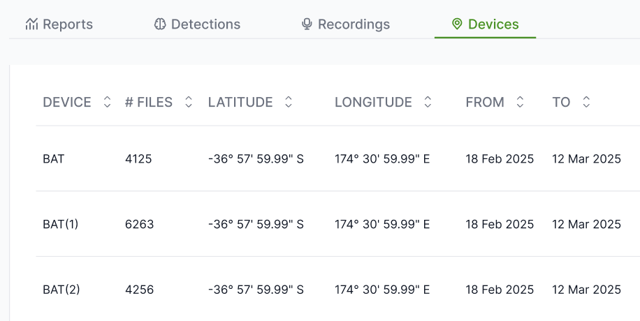
A survey in Alato Lab presents a period of time (e.g. 14 nights) where 1 or more acoustic recorders were out in the field. A survey usually contains recordings from multiple device locations. Device locations are automatically created when uploading a survey folder with multiple device folders inside it.
Uploading recordings
Alato Lab is optimised for uploading recordings from multiple devices at once into a survey.
Uploading recordings from multiple devices
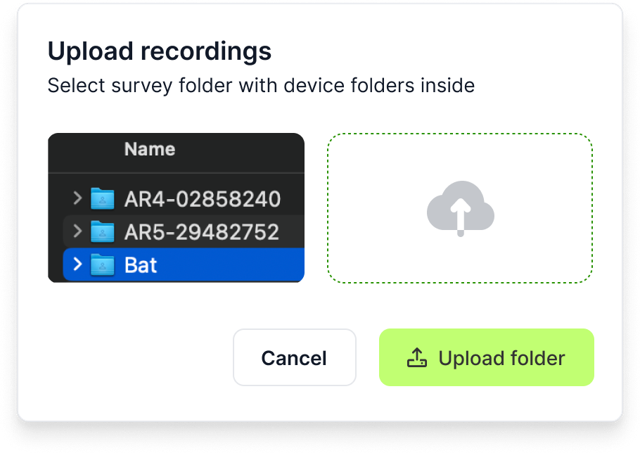
Upload the folder containing all folders of device recordings for your survey. Alato Lab will use the second-level folder names (e.g. Device01) as device location names for that survey. You can change device locations names after uploading if you need to.
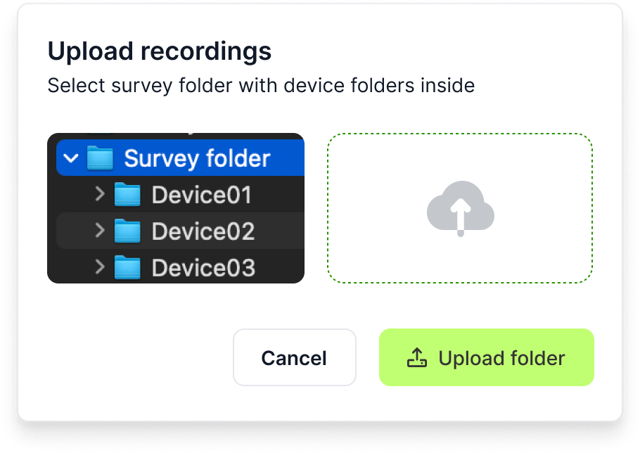
Once recordings are uploaded, Alato Lab automatically starts analysing recordings for bat activity. This can take some time, especially for large sets of recordings. Once recordings have uploaded, you can upload more recordings while others are processing.
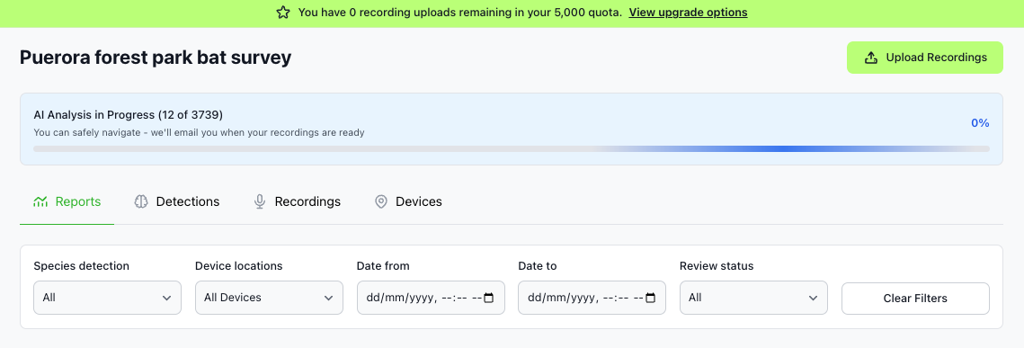
You can safely navigate away from Alato Lab while AI analysis is in progress - you’ll get an email when analysis is finished.
Uploading files from a single recording device
If you upload a folder from a single recording device, Alato Lab will ignore second-level folders labelled with dates and use the top level folder name as the recording device. If you have not renamed these and more than one has the same name (e.g. ‘Bat’), Alato Lab will append this to ensure each device location has a unique name.
File processing quotas
Freemium accounts have a file processing quota of 5000 files (across all surveys). If you need to process more files, upgrade your usage plan.
Recordings already reviewed in Bat Search?
If you have previously reviewed recordings in Bat Search or AVIANZ, you can still upload the same survey folder to Alato Lab - the bitmap files remain unchanged, and Alato Lab will ignore unneeded files.
Bat activity reports
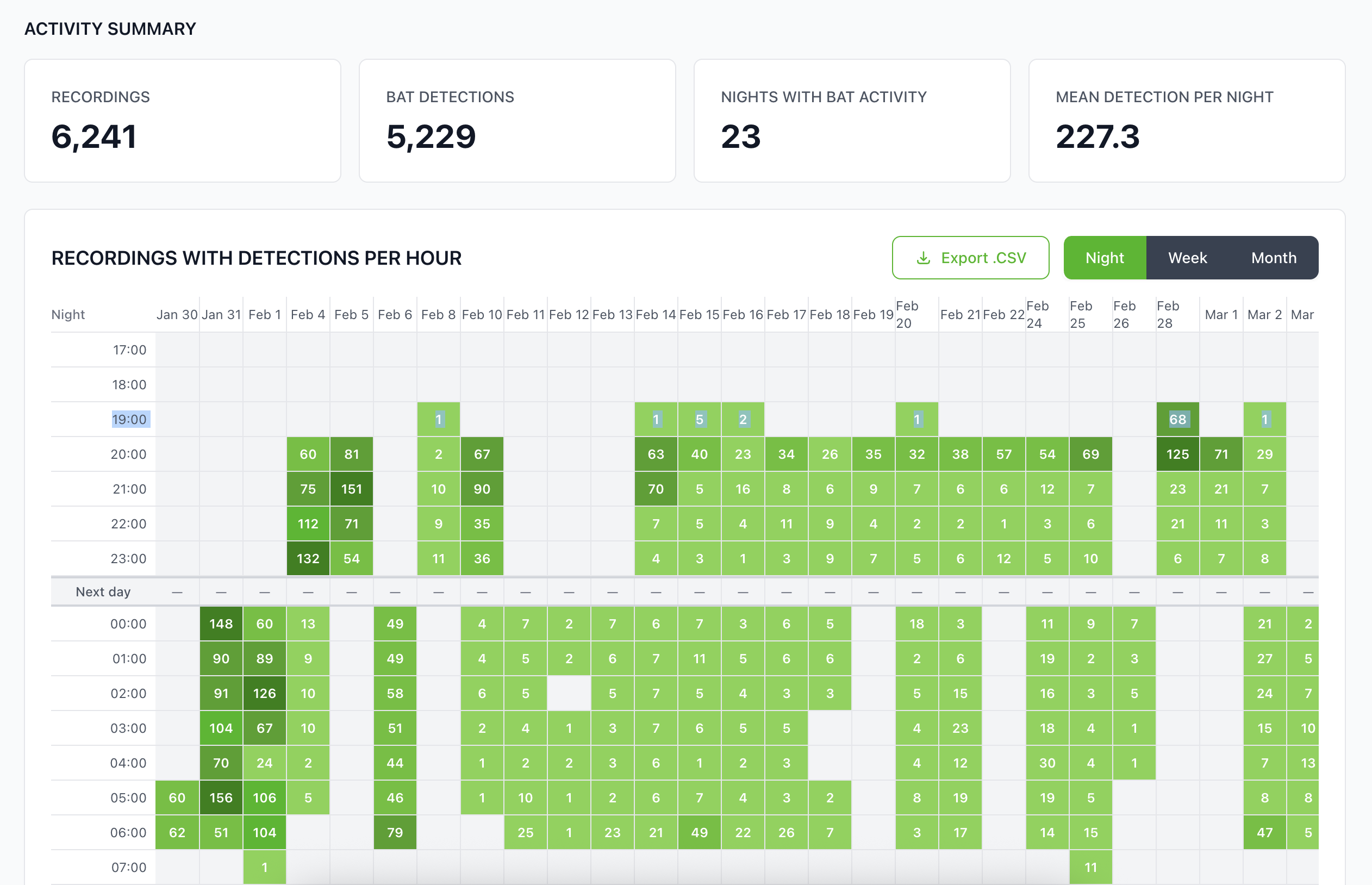
After Alato Lab has finished analysing uploaded files you'll see an overview of bat activity detected by Alato Lab's AI model. Filter activity by Species, Device or Date/Time. Click any heatmap square for a filtered view of that activity in Detections.
All metrics (such as Mean Detections Per Night) use calculations from the NZ Department of Conservation best practice guidelines for bat monitoring. Heatmap detections are displayed in columns by ‘Recording night’, which is the date that the device recording protocol started, including recordings collected after midnight on the following day.
Reviewing bat detections
After Alato Lab has analysed your recordings, they are grouped into categories; Long-tailed, Short-tailed, Possible LT, Possible ST or Non-bat. Use the labelled tabs to filter by detection category.
It is uncommon for Alato Lab to miss a bat, but the AI model is calibrated to show all ‘possible bats’, so you can expect around 15% of detections to need reviewing. We recommend you manually review the 'Possible bat' and 'Non-bat' categories.
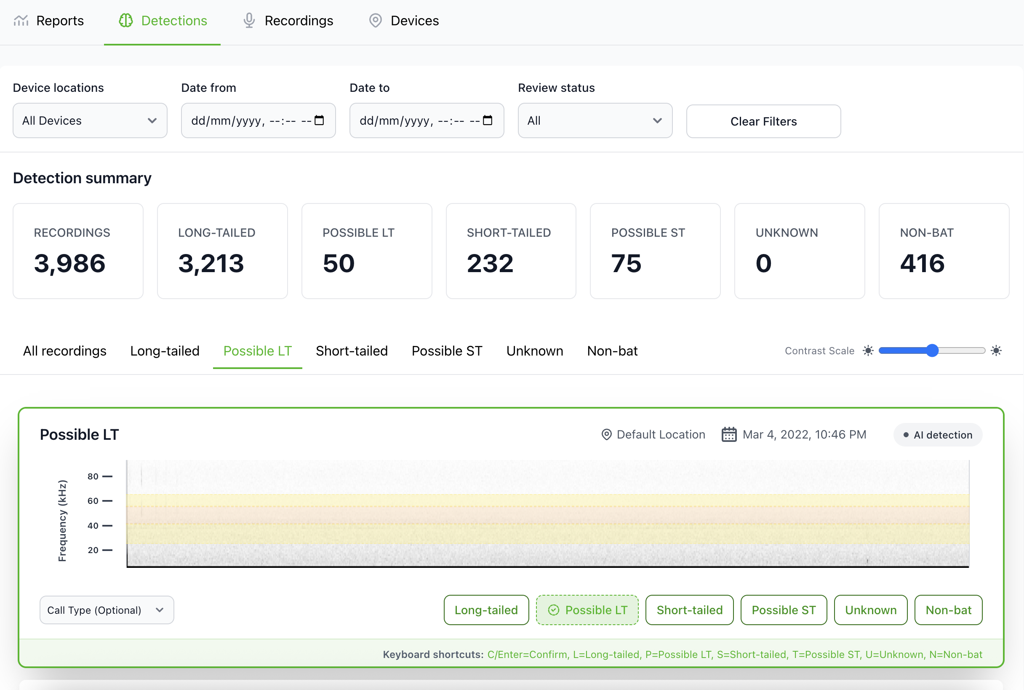
Verify a detection by clicking the button showing the suggested species detection (dotted outline), or click a different button to modify the species detection. Use keyboard shortcuts for speedy review.
When you manually verify or modify a species detection, that recording will move to the bottom of the list in category tab it now belongs to. You can filter detections by Review status to view only Verified or Modified detections. The review status for each recording is shown in the .CSV export in Reports.
Generating reports
Once you have reviewed Detections, you can view summaries of the activity in Reports and export the detection data. The .CSV export lists all recordings in the survey, with the most up to date ‘Species detection’ and ‘Review status’ for each. The raw data includes both a ‘captured_at’ date and time (the ‘actual’ date the activity was recorded) as well as a ‘recording_night’ date, to help you create reports by recording night.

All metrics (such as Mean Detections Per Night) use calculations from the NZ Department of Conservation best practice guidelines for bat monitoring.
If you need any help getting started or have questions or feedback, contact support@alato.co.nz